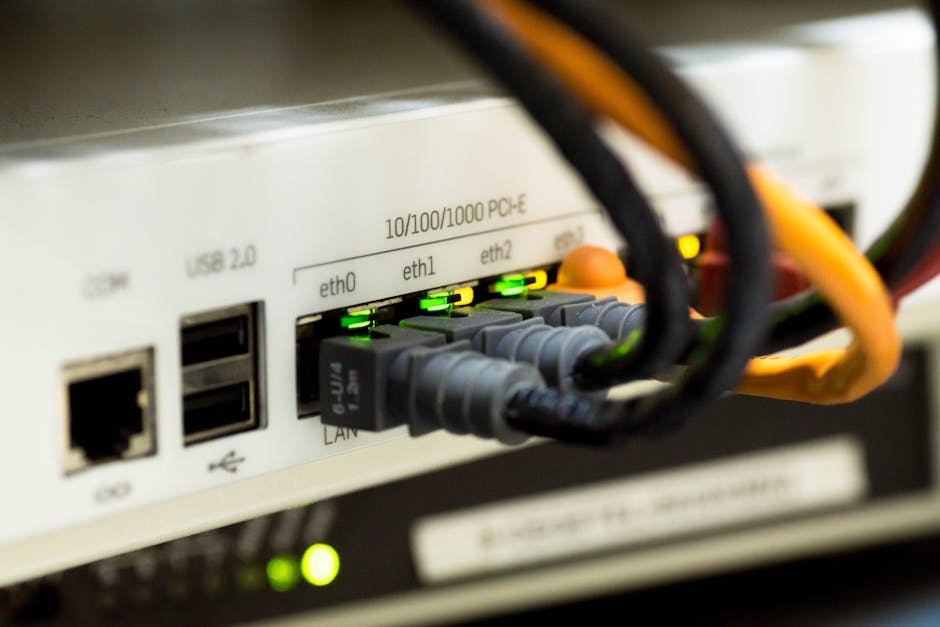
In modern network operations, visibility is paramount. Packet analysis and network sniffing provide the granular data needed to diagnose latency issues, detect security threats, and optimize traffic flow. Whether you are a network engineer, a cybersecurity analyst, or a system administrator, selecting the right packet capture tool can define your troubleshooting efficiency. Below, we review the best tools available, emphasizing their unique strengths for protocol analysis and traffic inspection.
1. Wireshark: The Industry Standard
Wireshark remains the most widely adopted network protocol analyzer. Its open-source nature, combined with a deep packet dissection engine, supports hundreds of protocols. The GUI-based interface allows for real-time traffic capture and offline analysis using pcap files. Advanced features include display filters, statistical analysis of flow graphs, and the ability to reassemble TCP streams. For network forensics and educational purposes, Wireshark is indispensable. Download it from wireshark.org.
2. Tcpdump: Lightweight Command-Line Power
When working on headless servers or embedded systems, Tcpdump excels. This command-line packet sniffer uses libpcap to capture raw packets with minimal overhead. It is ideal for remote packet capture and scripting automated network monitoring tasks. With BPF (Berkeley Packet Filter) syntax, you can isolate specific hosts or ports. For production environments where a GUI is impractical, Tcpdump is the go-to utility. Documentation is available at tcpdump.org.
3. SolarWinds NetFlow Traffic Analyzer: Enterprise Insight
For organizations needing bandwidth monitoring and flow analysis, the SolarWinds NetFlow Traffic Analyzer provides deep traffic pattern analytics. It ingests NetFlow, sFlow, J-Flow, and IPFIX data to correlate network performance with application usage. Unlike direct packet sniffing, this tool is agentless and scales across large WANs. The dashboard visualization helps pinpoint top talkers and protocol distribution for capacity planning. Learn more at solarwinds.com.
4. Nmap: Beyond Port Scanning
While Nmap is famous for network discovery and port scanning, its Nmap Scripting Engine (NSE) includes packet sniffing scripts for vulnerability assessment. The Zenmap GUI offers a visual interface for network mapping. Use Nmap to capture credentials in plaintext or analyze ARP traffic during host enumeration. It is a versatile companion for security auditing. Obtain it from nmap.org.
5. Microsoft Network Monitor: Legacy but Effective
For Windows-centric environments, Microsoft Network Monitor (now Microsoft Message Analyzer) provides deep packet inspection for Windows filtering platform traffic. It excels at HTTP packet analysis and SQL Server network troubleshooting. Though not actively developed, it remains a reliable sniffer tool for legacy systems. Archives are available via microsoft.com.
6. Ettercap: Dedicated to Man-in-the-Middle
Ettercap specializes in ARP spoofing and password sniffing for penetration testing. It supports active and passive packet capture with protocol-aware content filtering. Ideal for validating network segmentation and MITM attack detection. The tool operates in unified mode to sniff switched networks. Find the latest build at ettercap-project.org.
7. PRTG Network Monitor: All-in-One Platform
Paessler PRTG bundles packet sniffing with SNMP-based monitoring. Its packet sensor captures top talkers and QoS metrics without disrupting traffic. The web-based interface simplifies network traffic analysis for non-experts. PRTG evaluates network baselines for performance bottleneck identification. A free version is available at paessler.com.
Key Selection Criteria
- Protocol Support: Ensure the tool decodes your stack (e.g., HTTP/2, TLS, SIP).
- Capture Performance: For high-speed links (>10 Gbps), choose tools with kernel bypass like PF_RING.
- Storage & Indexing: Tools like Moloch (Arkime) index full packet captures for search.
- Security Compliance: Use encrypted traffic analysis features for GDPR/PCI audits.
Selecting the network monitoring software depends on your scale—from portable packet sniffers for ad-hoc checks to distributed packet capture architecture for data centers. Each tool above excels in specific network diagnostics and security monitoring tasks. Integrate them into your digital forensics workflow to maintain robust network health.